



Add your samples and let the rhythms and harmonies of nature speak for itself.
One-time purchase. Free updates. No subscription.
VST3 · Audio Unit · Standalone
Listen


Five ponds, left to run. Nothing here is arranged — each one is a scene playing itself.
-
Lush Pads/Ambiences0:00
-
Gorgeous Atmospheres0:00
-
Evolving Soundscapes0:00
-
Happy Accidents0:00
-
Glitches/Textures0:00
How it works

Select your sounds
Load fish with an audio sample or one shot.
Fill the pond
Drag fish from the palette into the pond.
The pond speaks
Adjust the settings of the fish to your liking, and let the beauty of randomness do the rest.
Five kinds of fish

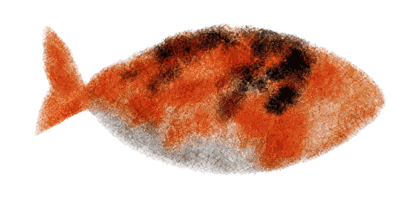
Normal
One sample.
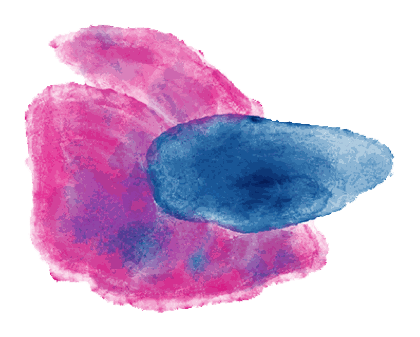
Sustain
Loops its sample, with a crossfade control.

Multi
Swaps between multiple samples.

Bass
Designed for bass samples.
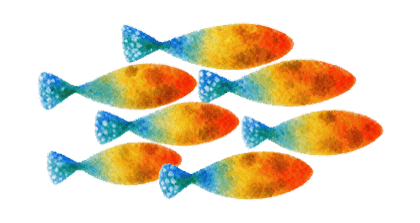
Chord
Plays its sample as a chord or arpeggio.
Effects


Drag and drop coral, and hear the fish adapt to the new habitat.








Shizen / Nagare




let the pond speak


stir the waters
In motion


Demo video goes here — see site/README.md.
A note
Hey guys! I’m Jayu, a producer who loves making nostalgic beats and ambient music. The idea for Shizen came from chasing happy accidents, those joyful moments in producing when something you didn’t plan turns out better than what you did. “Shizen” translates as “nature”, but it also carries a deeper meaning. It’s about letting nature take its own course, allowing it to follow its own rhythm and harmony. I think there is real beauty in embracing that randomness, and it’s the life force behind this plugin. Oh, and I also really love fish!
-Jayu
Shizen
$39.99
One-time purchase, free updates
- VST3 on macOS and Windows, Audio Unit on macOS, and a standalone app on both
- macOS and Windows, 64-bit
- 30 factory presets to start from
- 100 factory one-shots included
- Use it in commercial releases, royalty-free
Secure checkout by Lemon Squeezy. VAT and sales tax handled at checkout.
Requirements


- macOS
- Intel or Apple Silicon. macOS 10.13 High Sierra or later on Intel, macOS 11 Big Sur or later on Apple Silicon. Signed and notarised by Apple — it installs without a Gatekeeper warning.
- Windows
- Windows 10 or later, 64-bit. The installer is code-signed.
- Formats
- VST3 on both platforms, Audio Unit on macOS, and a standalone app on both. The installer lets you choose which to install.
- Hosts
- Any VST3 or AU host — FL Studio, Ableton Live, Logic Pro, Bitwig, Reaper, Studio One. Or no host at all: the standalone runs on its own.
Updates


- 2.200.58 Sep 2026 A fish out in the pond keeps its name readable in the palette. The stand-in dims the fish, not the label under it.
- 2.200.48 Sep 2026 A saved capture opens straight in Finder with the file already selected, so it can go into a track on the next click. Shortcuts opens from a ? beside its heading.
- 2.200.38 Sep 2026 On Random timing the division reads Minimum, because a note waits for the next line rather than falling on every one. Feel belongs to Tempo-Sync, and clears when a fish is switched to Random.
- 2.200.18 Sep 2026 The standalone app has a face: a koi on washi paper, drawn from the pond's own artwork.
- 2.200.08 Sep 2026 Shizen now installs as a standalone app as well as a plugin, so a pond can run without opening a DAW. The installer asks which formats you want.
- 2.199.07 Sep 2026 Capture. The pond is always recording the last two minutes, so the take you were not recording is still there - keep the last 30 seconds, minute, or two.
- 2.198.97 Sep 2026 Randomize works on every preset again, not only the four whose sample folder happened to exist. A fish's Level now fades it in the pond alone, leaving the palette legible.
- 2.198.87 Sep 2026 A sample that will not load now says why - a file the plugin is not permitted to read reads differently from one in an unsupported format.
- 2.198.67 Sep 2026 A Shortcuts panel in Global settings. Every gesture in the pond is Shift + click, and now it says so.
- 2.198.37 Sep 2026 Universal on macOS - native on both Apple Silicon and Intel, and visible to hosts running under Rosetta.
- 2.198.06 Sep 2026 A 75% window option, for screens the full size will not fit.
- 2.197.05 Sep 2026 Signed and notarised under the Jayu Beats identity. Hosts may need one plugin rescan to pick it up.
- 2.196.05 Sep 2026 Empty palette slots draw a fish and say what to do with it, and a sample dragged over a slot grows it rather than boxing it.
- 2.195.05 Sep 2026 A new factory one-shot library, and nine factory presets that all load what they promise.
- 2.194.104 Sep 2026 Fixed a crash: a reversed note could keep reading a sample buffer after it had been freed. Deleting the plugin mid-load could do the same.
- 2.191.03 Sep 2026 A Mute beside the master Volume.